
If you’ve ever stared at a blank screen wondering where to start your website project, you’re not alone. Before picking colors, fonts, or images, every successful website begins with a wireframe: a simple skeletal blueprint of your pages. In this guide, we’ll show you how to create wireframes for a website step by step, no matter your skill level or which tool you prefer.
Instead of pushing a specific software, we’ll focus on the thinking process behind great wireframes. Once you master the logic, any tool (pen, paper, Figma, Canva, Balsamiq, or even napkin sketches) will work.
What Is a Website Wireframe?
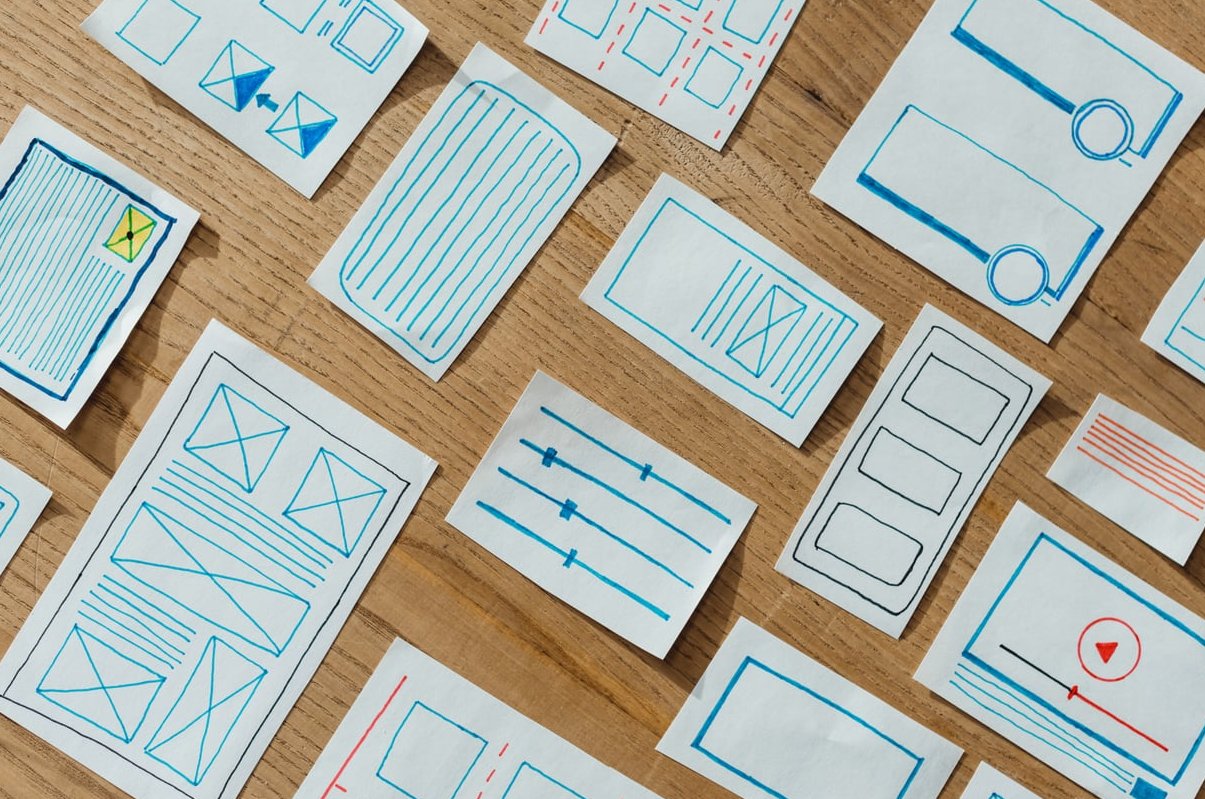
A wireframe is a visual representation of a webpage’s structure. Think of it as the architectural blueprint of a house: no paint, no furniture, just walls, doors, and windows. It shows where things go, not what they look like.
Good wireframes answer three core questions:
- What content goes on this page?
- Where is each element placed?
- How will users navigate and interact?

Low-Fidelity vs High-Fidelity Wireframes
Before you start sketching, you need to decide what type of wireframe fits your stage of the project.
| Aspect | Low-Fidelity | High-Fidelity |
|---|---|---|
| Detail Level | Boxes, lines, placeholder text | Real fonts, spacing, images, grids |
| Tools | Pen & paper, whiteboard, Balsamiq | Figma, Sketch, Adobe XD, Canva |
| Time Investment | Minutes | Hours or days |
| Best For | Brainstorming, early feedback | Client approval, dev handoff |
Our advice: always start low-fi. It’s faster, cheaper to change, and forces you to focus on structure instead of visuals.
How to Create Wireframes for a Website: 7 Practical Steps
Step 1: Define the Goal of the Page
Every wireframe should serve a specific purpose. Ask yourself:
- Is this page meant to inform, convert, or entertain?
- What is the one action I want a visitor to take?
- What success looks like (signup, purchase, contact form, etc.)?
Write this down in plain text before drawing anything. Example: “This homepage should convince visitors to book a free consultation.”
Step 2: Map the User Flow
Outline how users will move through your site. Sketch a simple diagram:
- Homepage → Services → Pricing → Contact
- Blog → Article → Newsletter signup
This step prevents dead-end pages and helps you decide which navigation elements to wireframe first.
Step 3: Choose Your Canvas Size
Decide whether you’re designing mobile-first or desktop-first. Today, over 60% of web traffic is mobile, so we strongly recommend starting with a mobile canvas (around 375px wide), then expanding to tablet and desktop.
Step 4: Sketch on Paper First
Yes, paper. Even professional designers do this. Take an A4 sheet, draw a rectangle, and start placing boxes. Don’t worry about perfection. The goal is to generate options quickly. Sketch 3 to 5 versions of the same page in 15 minutes.
Step 5: Apply Common Layout Patterns
You don’t have to reinvent the wheel. Most websites use proven layout patterns:
The F-Pattern
Users scan content in an F shape. Great for text-heavy pages like blogs.
The Z-Pattern
Eyes move in a zigzag. Perfect for landing pages with minimal text and a clear call to action.
The Hero + Grid
A large hero section followed by a 2, 3, or 4-column grid. Standard for SaaS and service sites.
The Sidebar Layout
Navigation on the left or right, content in the middle. Common for dashboards and documentation.
The Single Column
Stacked sections from top to bottom. Best for mobile and storytelling pages.
Step 6: Move to a Digital Wireframing Tool
Once your paper sketches feel solid, digitize them. Here are reliable free options in 2026:
- Figma – Industry standard, free for individuals, huge community of wireframe kits.
- Canva – Easiest for total beginners with drag-and-drop wireframe templates.
- Wireframe.cc – Minimalist, no learning curve, perfect for low-fi work.
- Balsamiq – Famous for its sketch-style look that keeps feedback focused on structure.
- Excalidraw – Free, open-source, hand-drawn aesthetic.
Step 7: Test, Iterate, Repeat
Show your wireframe to at least 3 people who match your target audience. Ask:
- What do you think this page is about?
- What would you click first?
- What’s missing or confusing?
Update accordingly. Wireframes are cheap to change. Code is not.

Essential Elements Every Wireframe Should Include
- Header with logo placement and primary navigation
- Hero section with headline, subheadline, and main CTA
- Content blocks (features, testimonials, services)
- Secondary CTAs scattered through the page
- Footer with secondary links, contact info, social
Common Beginner Mistakes to Avoid
- Adding colors and images too early. Stick to grayscale.
- Using Lorem Ipsum everywhere. Try to write realistic placeholder copy. Bad copy reveals bad structure.
- Skipping mobile. Always wireframe mobile and desktop versions.
- Trying to wireframe every page. Focus on key templates: homepage, service page, blog post, contact.
- Confusing wireframes with mockups. A wireframe is structure. A mockup is visual design. Don’t mix them.
From Wireframe to Working Website
Once your wireframes are validated, the typical workflow is:
- Wireframe (low-fi structure)
- Mockup (visual design with colors, typography, images)
- Prototype (clickable version for testing)
- Development (turning the design into a live website)
If this sounds like a lot of work, that’s because it is. At Custom Web Promotions, we handle the entire process for our clients, from the first sketch to the final launch.
Frequently Asked Questions
How long does it take to create a website wireframe?
A simple low-fidelity wireframe for a single page takes 30 to 60 minutes. A complete wireframe set for a 5-page website usually takes one full day for a beginner, less for experienced designers.
Can I use ChatGPT or AI to create wireframes?
Yes. AI tools can generate wireframe ideas, suggest layouts, and even produce Figma-ready structures in 2026. However, AI works best when you already understand wireframing fundamentals so you can review and refine its output.
What is the best tool to create a website wireframe?
For beginners: Canva or Wireframe.cc. For professionals: Figma. For sketch-style outputs: Balsamiq or Excalidraw. There is no universal best, only what fits your workflow.
Where can I wireframe my website for free?
Figma, Canva, Wireframe.cc, Excalidraw, and MockFlow all offer generous free plans that are more than enough for most personal and small business projects.
Do I really need a wireframe if my website is small?
Yes. Even a 3-page website benefits from a wireframe. It saves you hours of redesign work later and ensures your message is clear before you commit to visual design.
Should I show wireframes to my clients?
Absolutely. Wireframes set expectations, surface misunderstandings early, and protect both you and your client from costly revisions during development.
Ready to Build Your Website?
Wireframing is the foundation of every great website. Take your time, sketch freely, and don’t be afraid to throw ideas away. The more iterations you make on paper, the smoother everything else will be.
If you’d rather skip the learning curve and let professionals build a high-performing website for your business, get in touch with our team. We turn ideas into wireframes, wireframes into designs, and designs into websites that convert.